Project Lazarus

I sit here, typing on an HP Pavilion…running Ubuntu Linux!  That’s very exciting for me, although I’ve come to understand that the accomplishment isn’t so nearly as grandiose as I had predicted.  Still, it’s a happy accomplishment.

This computer was a necessary replacement.  Liz’s VAIO–her college computer–had died a quiet and dignified death through inevitable hardware failure.  Afterwards, she used my iMac G4–my college computer.  Eventually, that too died.  For obvious reasons we needed a computer, and since I was unable to justify the cost of a new mac (my own preference), and since Liz hated macs, we decided upon the HP laptop (since our apartment had a certain lack of space for a permanent desktop setup, as the computer room had been converted into a nursery).  Still, we opted for something with higher-end hardware, thus the HP (dv-3186cl)–an i5 quad-core 2.27 GHz with 4 gigs of RAM.  It was, and still is, a respectable computing system.

This machine served us well for years, but eventually it too succumbed to the ravages of time.  The hard drive had started to wear out, the OS (Windows 7), had become increasingly bloated (the inevitable fate of evolving OSes), the battery (which we had replaced multiple times) died, and the WiFi card ceased to function.

Upon this last failure, I lost my patience and bought a MacBook Pro.  It had been years since I enjoyed Apple’s OS, and I was elated at the homecoming.  Liz limped along with the HP, until one day it refused to cooperate at all.  And as she needed it for work, she immediately replaced it (with a newer iteration of HP’s Pavilion series).  I, being ever-loath to discard technology, retired the broken machine to the mothyard (the basement), with the vague plan of replacing its defective hardware parts one day, and installing Linux.

Then I received some Amazon gift cards and decided that was the necessary excuse to begin.  I hooked it up (it had no battery) and pressed the power button.  And it promptly informed me that the WiFi card was inoperable.  I disregarded the warning, and was then informed that the drive was likely to experience imminent failure.  I ignored this message too (all the data had been backed up anyway), and continued.

Rather, I tried to continue, but was then informed that the drive failed to mount.  Again,  no biggie.  This was just a test to see if the hardware would function at all.  Perhaps the drive was fine, but the OS had become corrupted.  So I began my search for a Linux distro.

My first hands-on experience with Linux was openSUSE, years ago when I had managed to install it on an old beige G3 powermac.  At the time, I had it configured to be a simple Apache web server, and it had performed its duties as a platform for my first-ever blog: intellectualnexus.net.  I’m happy to see that the domain lies unregistered currently.  Apparently no one else has since thought to use the name.  I ultimately agreed to discard that derelict machine once the kid arrived, and I had been without a web server since (until I bought my Synology).

Then my sister bought me a Raspberry Pi.  The Pi came with its fork of Debian, NOOBS.  That was my second experience using Linux.  The Pi has lived an off-and-on existence, primary simply to serve an omni-present web page (currently a Google calendar).

In both of these examples, my familiarity with Linux had been minimal, and my hand-on experiences to be lacking in confidence.  But Linux had changed since my earliest experiences, and the Internet was confident that contemporary distros were rivals in usability to the other major OS players.  In fact, I had even stumbled across Dell’s product listings that included machines with Ubuntu pre-installations.  I hadn’t much cared for SUSE at the time, and with Debian appearing rather minimalist, I took Dell’s endorsement of Ubuntu and searched for a package.

It didn’t take long to find.  It turned out that Ubuntu has very comprehensive guides for downloading and installing.  They even provided a step-by-step guide for my exact scenario: downloading the installation iso onto a USB flash drive with a Mac.  With this amount of helpful documentation, Ubuntu made a good option.  I picked up a USB stick on the way home from work the next day.

That night, I followed the instructions to the letter, and quickly ended up with a usable USB install drive.  I plugged it into the HP and booted up, and after ignoring the error message regarding the WiFi and failing HD, entered into the install prompts.  This, too, was straightforward, and after the installation completed, I rebooted, hoping to see Ubuntu’s happy welcome screen.

It certainly is pretty

But instead I was met with a new error, and this time the HD was completely inaccessible.  So despite my misgivings that the drive was okay and Windows was to blame, the hardware was indeed at fault.  I bought a 1TB HD off Amazon and waited the two days for shipping.  The old drive, now undoubtedly defunct, was removed and relegated to the mothyard’s stack of inoperable/obsolete hard drives.

What am I going to do with an 80GB PATA?

The drive installed easily enough and I re-ran the installation (once again ignoring the WiFi error (vowing to discover how to turn that message off in the BIOS later)).  The install completed much quicker this time.  Apparently a functioning hard drive was the key factor.  I also paid more attention to what the installation was doing, and was pleasantly surprised to see that it was automatically deciding upon the appropriate drivers for the detected hardware and removing those that weren’t relevant.  In short order, upon reboot, I was greeted with the happy welcome screen which for which I had eagerly awaited.

Elegant in its simplicity

I signed in and began poking around.  The default installation included the basic applications necessary to navigate a file system and the Internet.  I triggered a mass application update to get the most recent versions, then poked around in the package center (or whatever they call it).  There were similarities between Synology’s Linux fork and Apple’s OS (a freeBSD fork), so it’s been relatively straightforward to figure out.  Ultimately, I had just planned to use the HP as a web browser (courtesy of Firefox) and a coding platform (now using Notepadqq).  And it’s fulfilled these expectations.

So purdy

It’s also exceeded them.  The OS is incredibly efficient, and has proven to be the fastest system I have used to date.  And after discovering that a sticker had melted onto the internal WiFi card, and removing said sticker fixed it, I’ve decided to order a battery and have a completely restored workstation.  I don’t know if it’ll turn out to be my primary machine, but it’ll certainly fill a niche where more technical tasks are involved.  So far, Ubuntu has excelled beyond my every expectation.  I offer my personal endorsement.

–Simon

Ring

I don’t like connecting odd devices to my home network.  A quick Internet search will reveal the problems with doing so–that manufactures have a tendency to never patch them, resulting in a bunch of small computers with large security vulnerabilities serving as network entry points.

But things can still be done right, for those who care.  And after years of hearing reviews for the Ring Video Doorbell on my favored information security news podcast (which personally endorses the product), I began to consider it as an exception to my otherwise rather rigid policy.

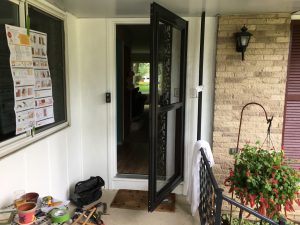
Then some neighbors began to complain about break-ins.  The tactic so often used: perpetrators would announce their presence at the front door to determine if anyone was home, and if so, to scan the interior of the home and come back later–if not, to break in then and there.  This was in fact the exact type of scenario for which the Ring was designed.  I proposed the option to Liz, who agreed.  So we used a collection of Amazon gift card credits and purchased their Video Doorbell 2.


Admittedly, their promotional videos are a little goofy, with actors creating a scene in which a couple guys in black trigger the camera and the homeowner yells at them through the speaker and they go scampering away like deer.

But, I could do that should I choose.  Through various settings, the camera and microphone activate from motion, which then records a 30-second clip, or if I acknowledge the video, it keeps recording until I stop it.  And of course it activates when someone pushes the button.  It’s wired into the existing doorbell circuit, which feeds the battery a trickle charge, and integrates with the old wired chime, and naturally–WiFi.  Alerts are delivered as push notifications through their official applications–both desktop and mobile.  And at any point I can activate the device to see a live feed, and through another button push, activate my device’s microphone so I can threaten whoever’s on my front porch.

Equally important, it updates its firmware automatically.

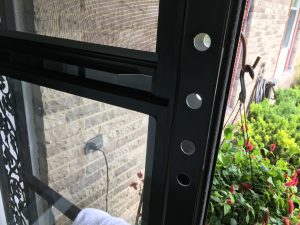
So far, it works as advertised, and while the price point was a little steep, they did not cheap out on its manufacture, even having included a variety of hardware/tools/wiring.

I have yet to catch any ne’er-do-wells, but that’s just as well.  I do, however, have a collection of riveting videos involving me shoveling the driveway and the car leaving and entering the garage.  In all practicality, it’ll probably be most useful when I’m working in the basement and can’t hear the doorbell, or to verify a package delivery, or to one day yell at the kid’s first boyfriend just for fun.

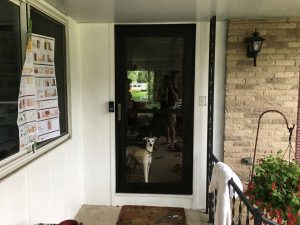
HD, but with the wide angle lens there are limitations on distance

In the meantime, it’s just cool.

–Simon

Audio Calibration

Now that a proper TV stand is in place, I thought it time to revisit the audio setup.  I say this because the stand slightly modified the arrangement of some speakers, and music sounded just different enough that I couldn’t let it go.  So when the girls went out grocery shopping, I used the rare moment of silence to begin a calibration.

In theory, the measurable amplitudes of a sampling of sine waves across the spectrum of 20Hz to 20kHz should register a similar decibel score.  In practice, the physical limitations of speaker drivers prevents this, but settings can be tweaked to reduce the disparity.  I lack any sort of professional calibration equipment, but in reality a good sound setting is merely defined as preference by the listener, so I opted to use what I had on hand and simply settle for a mere approximation.

Judge me not for the assortment of bands in the background

iTunes has, through whatever typical obscure Apple methodology, determined the above frequencies to be focal points in the human range of hearing.  I’m sure there’s some kind of math behind it, but I didn’t care enough to research it.

So, I YouTubed each of these frequencies for a test tone, played the tone, then measured the decibel level with a free sound meter app on my phone.  I’m not sure how accurate this method was, but I aggregated the figures as guidelines (chasing the dogs out of the room in the process as they did not appreciate the test tones above 1kHz):

I noticed an amplitude dropoff at the high and low ranges, which I found satisfying in that I had already adjusted the levels to compensate, based on my hearing alone.  I made some minor adjustments.

So my hearing may be getting worse, but I can still identify amplitude variations across the audible spectrum.  At least now when I’m forced to watch M*A*S*H reruns, I can at better appreciate the audio balance.

–Simon

Broken WordPress

Techies live by two very wise philosophies:

  1. If it’s working, leave it alone
  2. If there’s a security update, install it

You might notice a paradox here.  And therein lies the source of endless frustration.  Plainly stated, you can’t install a security update unless you mess with a working system.  So what to do?

Well, my personal plan of attack has been to check the patch notes before installing anything, and judge its relevance to my given application.  For example, I put off updating my VPN software because the patched vulnerability was an old version of L2TP/IPsec–something I don’t use.

But the growing list of CVEs on my WordPress install started to concern me, some of which were alarming, like broken access restrictions with URL injection.  Yikes.  Still, I waited, because I really didn’t want to mess with it.

Then my server automatically updated its PHP packages (I thought I had disabled automatic updates), which brought my blog down.  So begrudgingly, I used it as an excuse to finally update.  I began the install process.

As it turns out, WordPress runs on PHP 5.6 (the scripting language which loads data from the SQL backend)–at least the package I have installed anyway.  Other programs I run require PHP 7, so I have both installed.  But the automatic PHP upgrade deactivated 5.6 in favor of 7, which not only broke the site, but prevented the install.  I manually reactivated 5.6, which then triggered its own update, requiring me to patiently wait another hour while it completed.

PHP updated, I tried to load the installer again, but found out that the MariaDB (the open-source fork of SQL) version, version 5, had been stopped in favor of version 10–very similar to the PHP problem.  So I reactivated version 5 and waited patiently while it updated.

These updates collectively maxed the server’s processing power, which then brought down the entire machine.  Nothing’s more nerve-wracking than watching an eternally-spinning icon, devoid of any meaningful information like a status bar.  But, patience and a lot of burning stomach acid later, the installs completed and the server came back online.

I started the WordPress install, and was prompted for MariaDB 5’s root password.  I looked up my complex and randomly-generated password, pasted it in, and continued.  Then I was prompted for MariaDB 10’s root password.  Curious, why would it need both?  Unfortunately, I have yet to find a solid answer, as the WordPress package installations and their associated communities vary widely across the web.

It’s friendly logo hides its true nature

Then I was prompted for my database user account, which I input as well.  The installation clocked for several minutes, then advised that I did not have access to the databases.  Curious.  I knew with certainty what my user password was.  I considered that maybe the root password was different.  To find out, I installed a database management interface and attempted to log into both databases as root.  All attempts failed.  So apparently I didn’t know the root’s password.

A brief web search revealed the default password to be blank, which bothered me immensely.  Granted, it probably wasn’t as big a problem as I was thinking, since presumably only the localhost would have access to the database, but that still seems like a bit of a security hole, like say if malware made its way into the machine.  Also, the management interface I had installed was Internet-facing, which meant that the moment I installed it, my databases were publicly accessible.  Nothing private is in there, but still.  Ah well, I used the interface to change the root passwords for both databases and reattempted the update with the correct credentials.

The install crashed and the logs said the update failed.  I checked the install package, and its version matched the newest.  Confused, I consulted the logs again, but this time it said that the install was successful.  Finally some good news.  I opened up the site.

The site loaded its front page, but without images.  I refreshed the page, only to then find that the only data loading was in the browser’s cache.  The page wasn’t there anymore.  So I checked the web directory’s contents and was dismayed to see that the entire WordPress folder had been purged of data.  The update had reinstalled anew, rather than updating.

I had taken the precautions of backing everything up, so I wasn’t completely distraught, but I began to fear that the WordPress package itself was beyond repair.  I had previously considered 3rd party hosting solutions, and figured that this would be my final salvation.  But first–I would use my automatic backup service to retrieve the last version from my Amazon Drive account, which was timestamped as that morning around 5AM.

The restore took about a half hour.  I reloaded my site, and it worked!  I admit I was surprised.  I had surmised that the site solely operates through a conglomeration of PHP scripts which access the database, but if that were  the case, then the file restore would have wiped out the upgrade–which after checking again, it hadn’t.  So it was the package itself that got updated, not necessarily the script files.

I admit, I still have a long way to go to understanding this technology, but that was the original point of starting this blog.  For now, I’ll remain content that my site is functioning at all.

–Simon

I Speak for the Trees

The Christmas tree is up.

That statement carries heavy implications, to which family men everywhere shudder from mild PTSD.

Seriously, it’s a lot of effort for such a bizarre holiday decoration.  In years past we had opted for an artificial tree, mostly because we lived in rented property, but also because I didn’t want to deal with the mess.  That’s when we acquired would would be known thereafter as “The Martha Stewart Tree”, because we bought it at K-Mart (of all places that’s where Martha Stewart had her brand sold at the time), and it looked better than any artificial Christmas tree we had seen elsewhere.

But the tree came with very questionable pre-wiring (which I later removed), and the clipped wires of the tree’s frame were lethally sharp.  And the damn thing dropped fake needles everywhere which the vacuum refused to pick up.  Fuck that tree.

So we’ve since made the switch to real trees.

Of course, real trees have their own set of problems, but whatever kind we got this year has been especially awful.  This one doesn’t have any real branches, just a bunch of fluff that can’t support any weight, so I only have half the lights on it that I would normally.  And the sap gave me an allergic reaction.

Plus, the ornaments keep falling off.  Look at the kid’s consternation as she debates their placement:

This was a terrible species for a Christmas tree.  I sure hope Liz remembers what it was so we don’t get that kind again.  I’m about to go Griswold on the neighbor’s spruce.

–Simon